
Product Information
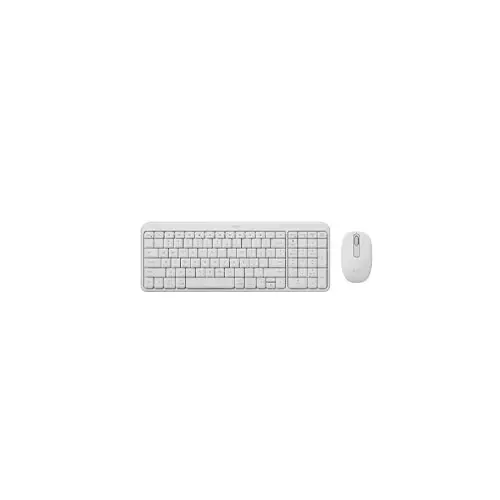

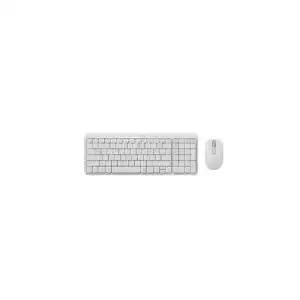
Logitech MK250 Wireless Keyboard Mouse Combo Off White
Connectivity: Wireless Connection
Scroll wheel: 2D, mechanical
Mouse Sensor: Smooth Optical Tracking
Number of buttons: 3
150 TK Checkout Discount
Product Pricing
PRODUCT SPECIFICATIONS
Keyboard
Interface: Bluetooth Wireless
Wireless range: 10 m
Keyboard battery type: Alkaline battery
Indicator Lights (LED): Connectivity LED
Special Keys: On/Off power buttons
Number of Batteries: 2xAAA (included)
Battery life: 12 months
Additional Features: Tilt legs (for a 7-degree typing angle)
Layout: Compact layout with number pad
Multi OS printed layout: Yes
Color: Off-white, Graphite, Rose
Dimension(LxWxH)
Height: 136.9 mm
Width: 369.9 mm
Depth: 22.8 mm
Weight:380 g
Mouse & touch
Number of Buttons :3
Sensor: Smooth Optical Tracking
Resolution:1,000 DPI
Tracking Method: Optical
Requirements: Bluetooth® Low Energy wireless technology
Compatibility: Windows 10, 11 or later; macOS 12 or later; ChromeOS
Buttons: On/Off power buttons
Scrolling: Line-by-line scrolling
Scroll wheel: 2D, mechanical
Connect/Power: Long-press the On/Off power buttons for pairing
Battery type: Alkaline battery
Battery life: 12 months
Wireless operating distance: 10 m
Number of Batteries: 1xAA (included)
Indicator lights: Connectivity LED
Connector:Wireless
Dimension(LxWxH)
Height: 100 mm
Width: 60 mm
Depth: 38 mm
Weight:76 g
Warranty Information
1 year
PRODUCT DESCRIPTION
Logitech MK250 Wireless Keyboard Mouse Combo Off White
The Logitech MK250 Wireless Keyboard Mouse Combo Off White is a versatile and reliable input solution created to simplify everyday computing for home users, students, and professionals. This thoughtfully designed combo includes a full-size wireless keyboard and a responsive wireless mouse, offering all the essential tools you need for smooth and efficient interaction with your computer. Both devices connect seamlessly through a single compact USB nano receiver that uses a stable 2.4 GHz wireless connection, delivering dependable performance with minimal interference. With plug-and-play simplicity, you can start using the keyboard and mouse right away—just insert the receiver into a USB port and begin typing and navigating without additional software. The wireless range extends up to 10 meters, giving you flexibility and freedom to work from across the room without worrying about signal drop-outs.
The keyboard features a familiar layout with well-spaced keys designed for comfortable and accurate typing. Whether you’re composing emails, browsing the web, working on spreadsheets, or attending online classes, the key to responsiveness helps make your tasks efficient and enjoyable. Its slim, compact design not only saves desk space but also contributes to a clean and modern aesthetic. Function keys are included for quick access to shortcuts, enhancing productivity for daily computing tasks.
Paired with the keyboard, the included wireless mouse is ergonomically shaped to fit comfortably in either hand, making it suitable for both left- and right-handed users. It delivers smooth, precise cursor control, making navigation effortless during office work, casual browsing, or creative tasks. Both the keyboard and mouse are powered by long-lasting batteries, reducing the need for frequent replacements and helping ensure uninterrupted productivity throughout your day.
Finished in an elegant off-white color, the Logitech MK250 combo brings a sleek and contemporary look to any workspace. Compatible with multiple operating systems, including Windows, macOS, and Linux, this combo is a flexible and affordable choice for anyone seeking reliable wireless performance, comfort, and simplicity in a stylish package. Whether upgrading an existing setup or completing a new workstation, the Logitech MK250 Wireless Keyboard Mouse Combo delivers dependable functionality you can count on.
Plug-and-Play Simplicity
The Logitech MK250 Wireless Keyboard Mouse Combo is designed for effortless setup and immediate use. With true plug-and-play functionality, there is no need to install drivers or software. Simply connect the compact USB nano receiver to your computer’s USB port, and both the keyboard and mouse are ready to use within seconds. This hassle-free setup makes the MK250 ideal for users of all experience levels, whether at home, in the office, or in shared environments. It also allows quick switching between devices, saving time and ensuring a smooth, convenient start every time you power on your system.
Ergonomic Wireless Mouse
The wireless mouse included in the Logitech MK250 combo is designed with comfort and ease of use in mind. Its ergonomic, ambidextrous shape fits naturally in the hand, making it suitable for both left- and right-handed users. The smooth surface and well-placed buttons help reduce hand strain during extended use, whether you’re working, browsing, or studying. With precise and responsive cursor tracking, the mouse ensures accurate control on most surfaces, providing a comfortable and reliable experience for everyday computing tasks.
CUSTOMER REVIEWS
Overall Rating
Login to write a review.
No reviews yet
Be the first to share your thoughts about this product.